Ensuring the security of our accounts is essential for everyone. Yet, many may not realize that using SMS for two-factor authentication (2FA) comes with significant risks. What makes app-based 2FA a more secure choice, and why do experts recommend it? Uncover the crucial differences that could bolster your online protection.
Why 2-Factor Authentication Is Essential
First things first: 2FA is like putting a second lock on your digital front door. It asks for something you know (your password) plus something you have (usually a code sent to your phone).
- Prevents hackers from logging in with just your password
- Protects sensitive info like emails, bank details, and social accounts
But not all 2FA methods are created equal. So, what’s the real difference between SMS codes and authenticator apps?

The Problem with SMS 2FA
We’ve all gotten those texts with a 6-digit code. Super convenient, right? But here’s the catch: convenience can come at a cost.
- SIM Swapping: Hackers can trick your mobile carrier into giving them control of your phone number.
- Phishing Attacks: Text messages can be intercepted or redirected.
- Phone Number Recycling: If you change your number, someone else could get your old codes.
Security experts and organizations like Google and Microsoft have warned for years that SMS is vulnerable. The industry consensus is clear: SMS 2FA is better than nothing, but there’s a safer way.
Why Authenticator Apps Are More Secure
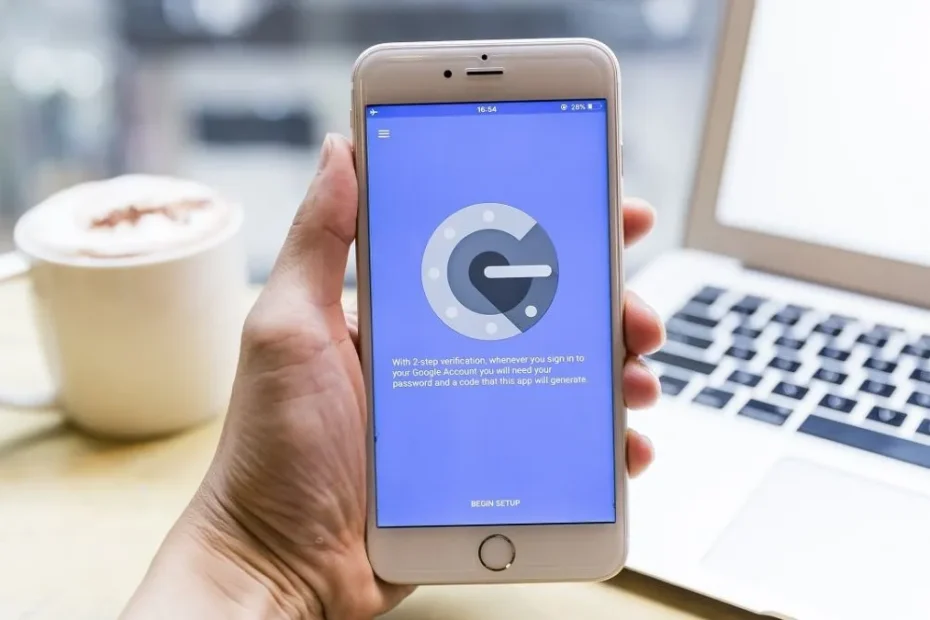
If you’ve never tried an authenticator app, you’re missing out on an easy security upgrade. Apps like Google Authenticator, Authy, and Microsoft Authenticator generate unique codes right on your device—no texts needed.
- Offline Protection: Codes are generated on your phone, not sent over vulnerable networks.
- No SIM Swaps: Even if someone steals your phone number, they can’t access your codes.
- Phishing Resistant: Codes are only visible on your device, not in your SMS inbox.
In 2023, the FBI even recommended using app-based 2FA instead of SMS. That’s a pretty strong endorsement.

But What If You Lose Your Phone?
Great question! Losing access to your authenticator app can be scary. But most apps offer backup options, like:
- Backup codes you can print or save
- Cloud sync and device backup (especially with Authy)
- Account recovery through your email
Just remember to set up these backups in advance. It’s way safer than relying on SMS, which can be hijacked without your knowledge.
How to Make the Switch in 5 Minutes
Ready to ditch SMS for good? Here’s how you can upgrade your 2FA in just a few steps:
- Download an authenticator app (Google Authenticator, Authy, or Microsoft Authenticator)
- Go to your account’s security settings
- Select “Authenticator App” as your 2FA method
- Scan the QR code and save your backup codes
Most major websites and banks support app-based 2FA now. You’ll wonder why you didn’t switch sooner!

The Bottom Line: Don’t Settle for SMS
So, here’s what I’ve learned (and what the experts agree on): if you want real security, go with an authenticator app. SMS 2FA is a decent start, but app-based 2FA is the lock that actually keeps the bad guys out.
Ready to upgrade your security? Your future self will thank you. Have you tried switching from SMS to an authenticator app yet?
Incognito Mode: Does It Actually Hide Your Browsing from Your ISP?

Subscription Fatigue: How to Find and Cancel Subs You Forgot About

5G Conspiracy: Why The Towers Are Harmless (Physics Explained)
Wireless Charging: Is It Less Efficient Than Plugging In?
Screen Protectors: Glass vs Plastic – Which Actually Saves Your Screen?